



Choose a personalised silver coin: .999 fine silver or silver-plated material?
A personal photo makes a photo coin special, but it reveals nothing about its base material. So when you choose a personalised silver coin, first decide between a version in .999 fine silver and a silver-plated variant; then check photo, text and shape. At SilverCoin Artworks, an Austrian manufacturer with an online shop for personalisable photo coins and photo bars, you can choose the available version and design your motif in the online designer.
Status: November 2026
How do you tell which material version you are ordering?
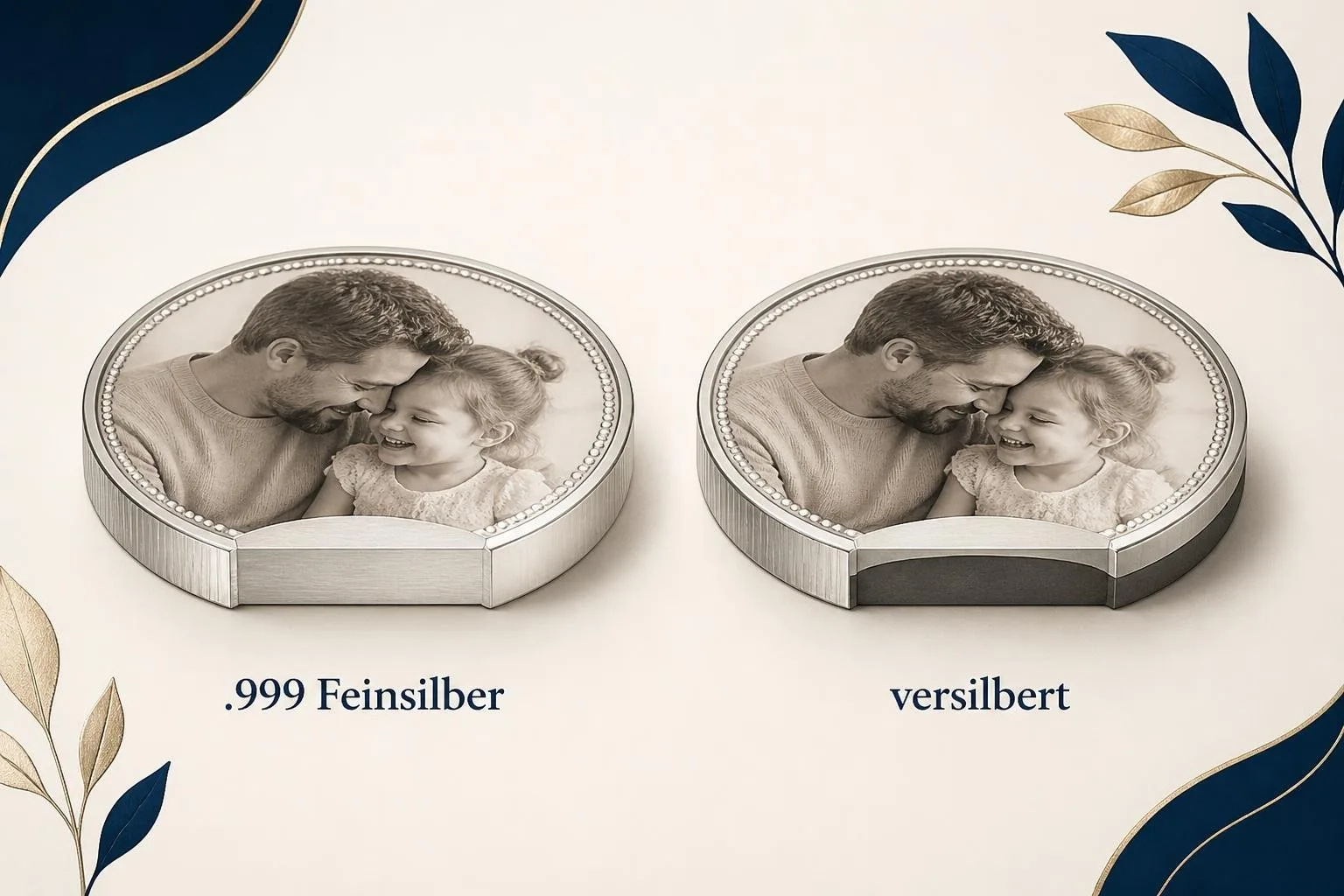
The term “silver coin” in a search does not specify what the item on offer is made of. What matters is the material information and the selected variant on the specific product page. Read both before you start designing.
For the corresponding fine silver products from SilverCoin Artworks, the piece is made of 1 troy ounce (31.1 grams) of .999 silver. A silver-plated version, by contrast, has a silver surface but is not made of .999 fine silver throughout. The two details describe different products, even if they have a similar round shape and both can be designed with a photo.
If the material itself matters to you, choose a variant explicitly listed as .999 fine silver. If you mainly want to give a personal picture in coin form and a less expensive material version is also an option for you, consider the silver-plated variant. For current prices and the options actually available, the respective product page counts, not the general name of a product category.
When choosing, make sure the material information belongs to the variant you have clicked. A note about fine silver on a different version of the same product says nothing about the variant that ends up in your shopping cart. If the assignment remains unclear, clarify it before ordering.
What design options are there for a personalised silver coin?
With a personalisable photo coin, you choose your own image and can add personal words, depending on the product's options. The online designer takes in your photo and shows you the design options on offer. You decide which motif and wording suit the occasion.
When do a photo, name, date or personal text make sense?
A photo can create a connection to a person or a shared event. A name or date identifies this connection briefly, for example for a wedding gift. A longer message of good wishes makes sense if the words are more important to the recipient than additional image details; check in the draft whether both still remain easy to read together.
Whether a particular text is offered as an inscription or personal engraving depends on the selected product option. Prepare the exact wording and check in the designer which input options actually appear for your photo coin. You will also find tips on choosing images in the article Design a coin with a photo.
Is a round photo coin or a rectangular photo bar the better choice?
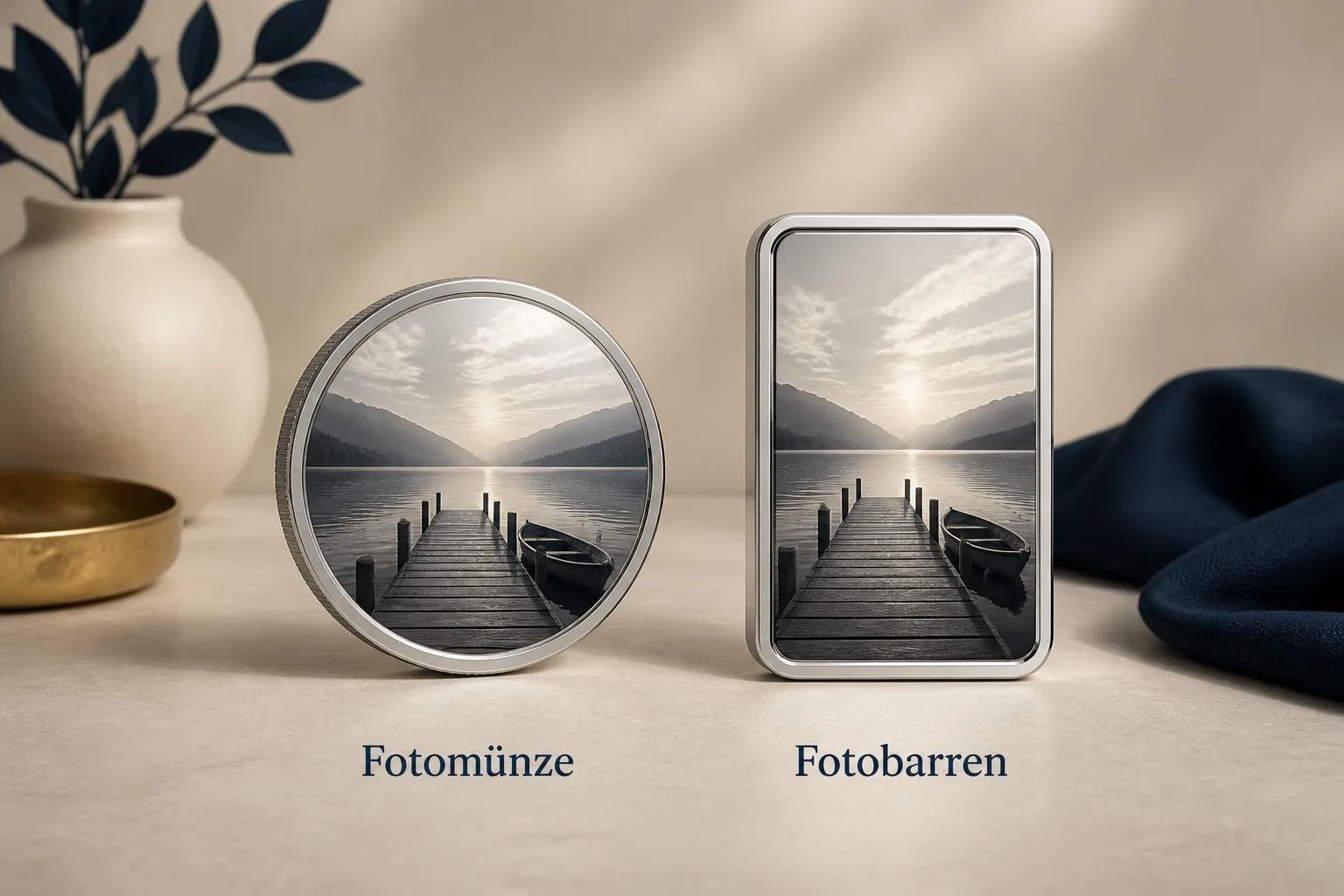
If you specifically want to give a coin, the round photo coin is the suitable product shape. The photo bar offers a rectangular alternative for a personal picture, but it does not fulfil the same wish for a coin. Decide on the desired shape before you set the image crop.
The photo coin measures 50 mm in diameter, the photo bar 54 × 36 mm. A motif with a clear centre is easier to judge for the round surface; with a wide image, the rectangular shape may be the obvious choice. These are guidelines for design, not a guarantee that every photo fits without adjustment.
Both shapes are available as personalisable products. Nevertheless, check the photo and text options for the respective version rather than inferring from one shape to the other. A ready-made motif bar with a predefined art motif, in turn, is something different from a photo bar that you design with your own image.
Once you have clarified the material and shape question, you can view the available photo coins and check the options of the product you want on the website of SilverCoin Artworks.
How do you design and order the photo coin online?
To get started, you need your own photo and, if desired, the final text. In the online shop, choose a personalisable photo coin, specify the version on offer, and then open the online designer. There your draft is created from the details you enter.
Choose material and version
First decide whether you want to order .999 fine silver or silver-plated material. Read the name of the selected variant again before you edit the photo. If a particular version is not currently offered, its material cannot be replaced through the design.
Upload photo and check design
Upload your image and set the crop using the tools available. Check whether the key motif remains recognisable within the round area. Especially with an image showing several people, look at the draft as a whole rather than judging only the original file.
The online designer provides the design features, but choosing the image and approving the result remain your responsibility. If the crop does not support your picture idea, change the placement or choose a different photo before you order.
Add a personal text and choose packaging
Add a name, a date or personal words, provided the selected option allows it. Check the spelling directly in the draft. Afterwards, you can look at the packaging options available for this product, which include a premium wooden box.
Only add the designed product to your cart after this check. Once you complete the order, SilverCoin Artworks processes your individual design according to the selected product options and ships your piece.
What should you check before ordering?
The cart is your last chance to match your material choice with the designed product. There, check the product shape, the selected version, the photo, the text and, if applicable, the packaging. A matching draft alone does not answer the material question.
On the specific product page, also check the current price and availability. If you expect a photo coin made of .999 fine silver, make sure exactly this version is in your selection. For a silver-plated variant, it should also be clear that you chose it deliberately.
Now open the product page for the photo coin you want and select the material version before you place your photo in the designer.